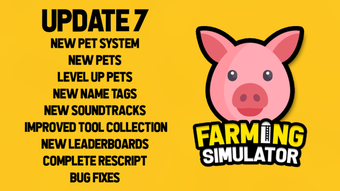

Farming Simulator for Roblox
Farming Simulator for Roblox is a free desktop application developed by Fool Studios, designed to bring agricultural gameplay into the Roblox universe. This utility app allows players to engage in simulated farming activities, including raising animals such as chickens, managing crops, and operating farm equipment—all within the immersive environment of Roblox. The software is intended for casual gamers and Roblox enthusiasts who enjoy life simulation and creative building experiences.
It serves as a niche tool for users seeking a relaxed, engaging way to manage a virtual farm without the complexity of full-scale game development. Real-world usage scenarios include leisure time entertainment, educational exploration of farming mechanics, and community-based gameplay on Roblox servers. The app is accessible to users of all ages and skill levels, especially those interested in virtual agriculture and animal care.
As a free tool, it lowers the barrier to entry for players who want to experiment with farming themes in a familiar online platform. The developer did not provide additional system requirements beyond the Roblox platform.
Key Features & Capabilities
- Farming Simulation Gameplay: Users can plant crops, harvest produce, and manage seasonal farming cycles within the Roblox environment. This feature allows for hands-on experience with agricultural planning and resource management.
- Animal Husbandry: Players can raise and care for animals such as chickens, contributing to a dynamic farm ecosystem. This includes feeding, collecting eggs, and maintaining animal health.
- Interactive Farm Equipment: The app enables interaction with virtual farm machinery, such as tractors and harvesters, enhancing realism and immersion during gameplay.
- Multi-Language Support: Available in Spanish, Italian, and Portuguese, making it accessible to a broader international audience within the Roblox community.
- Free Access: The software is completely free to use, allowing unrestricted access to all core features without in-app purchases or subscription fees.
These features support both individual play and collaborative experiences on shared Roblox servers. For example, users can team up with friends to expand their farms, trade resources, or participate in community events. The simulation mechanics provide a simplified yet engaging model of real-world farming, suitable for younger audiences or players seeking low-pressure entertainment. The integration with Roblox ensures consistent updates and community-driven content, though specific technical details about performance or scalability were not provided.
User Interface, Workflow & Performance
The user interface of Farming Simulator for Roblox is designed to align with Roblox’s standard UI framework, ensuring familiarity for existing users. Navigation is handled through on-screen menus, toolbars, and interactive icons that respond to mouse and keyboard inputs. The workflow follows a logical sequence: selecting a farm plot, planting seeds, tending to animals, and harvesting crops—all accessible through intuitive point-and-click actions.
Interaction with farm equipment is handled via simple command inputs, minimizing the learning curve for new players. The app’s performance is dependent on the Roblox platform’s runtime environment, which manages rendering, physics, and network synchronization. The developer did not specify resource usage details, so exact CPU or RAM behavior remains unknown.
However, as a lightweight utility within Roblox, it is expected to operate smoothly on systems meeting basic Roblox requirements. Stability is likely maintained through Roblox’s built-in optimization, though no official reports on crashes or bugs were provided.
Compatibility & System Requirements
Farming Simulator for Roblox is designed to run exclusively within the Roblox platform, meaning it is not a standalone desktop application. It is compatible with any device that supports the Roblox client, including Windows, Mac, and mobile devices with internet access. The current version is listed as 0, indicating a developmental or early-release status.
The installation size is 100 MB, which is typical for Roblox apps. Exact system requirements were not listed, but users are expected to meet the baseline specifications for running Roblox, such as a stable internet connection, a modern web browser, and a supported operating system. The developer did not provide additional hardware or software prerequisites.
Platform compatibility information is limited to the Roblox ecosystem, and no native support for other gaming platforms was mentioned.
Pros and Cons
Pros
- Free to use with no hidden costs or in-app purchases
- Simple, intuitive interface suitable for all age groups
- Engaging farming and animal care mechanics within a familiar platform
- Available in multiple languages: Spanish, Italian, and Portuguese
- Integrated with Roblox, ensuring access to a large community and regular updates
Cons
- No official system requirements provided beyond Roblox compatibility
- Version number 0 suggests an early or unstable release stage
- Performance and stability details not disclosed by the developer
- Limited to Roblox environment—no standalone desktop version available
- May experience lag or delays depending on Roblox server load and user device performance
FAQ Section
Is Farming Simulator for Roblox free to download?
Yes, Farming Simulator for Roblox is completely free to download and use. There are no subscription fees or in-app purchases required to access its core features.
What platforms does Farming Simulator support?
The app runs exclusively on the Roblox platform, which is available on Windows, Mac, iOS, and Android devices with a compatible browser or Roblox client.
Is the software safe to use?
As a Roblox app developed by Fool Studios and published through the official Roblox platform, it is considered safe for users. Roblox implements security measures to prevent malicious content, though users should always follow standard online safety practices.
How often are updates released?
Updates are managed through the Roblox platform. The frequency depends on the developer’s release schedule and Roblox’s content moderation policies, but users can expect regular improvements and new features.
Can I play this offline?
No, Farming Simulator for Roblox requires an active internet connection to run, as it operates entirely within the Roblox online environment. Offline play is not supported.
Final Thoughts + CTA
Farming Simulator for Roblox delivers a straightforward, accessible farming experience within a popular online platform. While it lacks standalone functionality and detailed technical specifications, its integration with Roblox ensures broad reach and community engagement. The free access model and multilingual support make it ideal for casual gamers, students exploring agricultural themes, and families seeking shared entertainment.
Though the version number of 0 and absence of system details raise questions about stability, the app remains a viable choice for those interested in virtual farming without complex setup. For players already active on Roblox, it offers a low-effort way to expand their gameplay with a thematic, relaxing simulation. The combination of animal care, crop management, and social interaction creates a compelling niche experience.
Download Farming Simulator for Roblox now to explore virtual agriculture in a safe, free, and community-driven environment.







